
Beyond the Touchscreen: The Rise of Silent Interaction
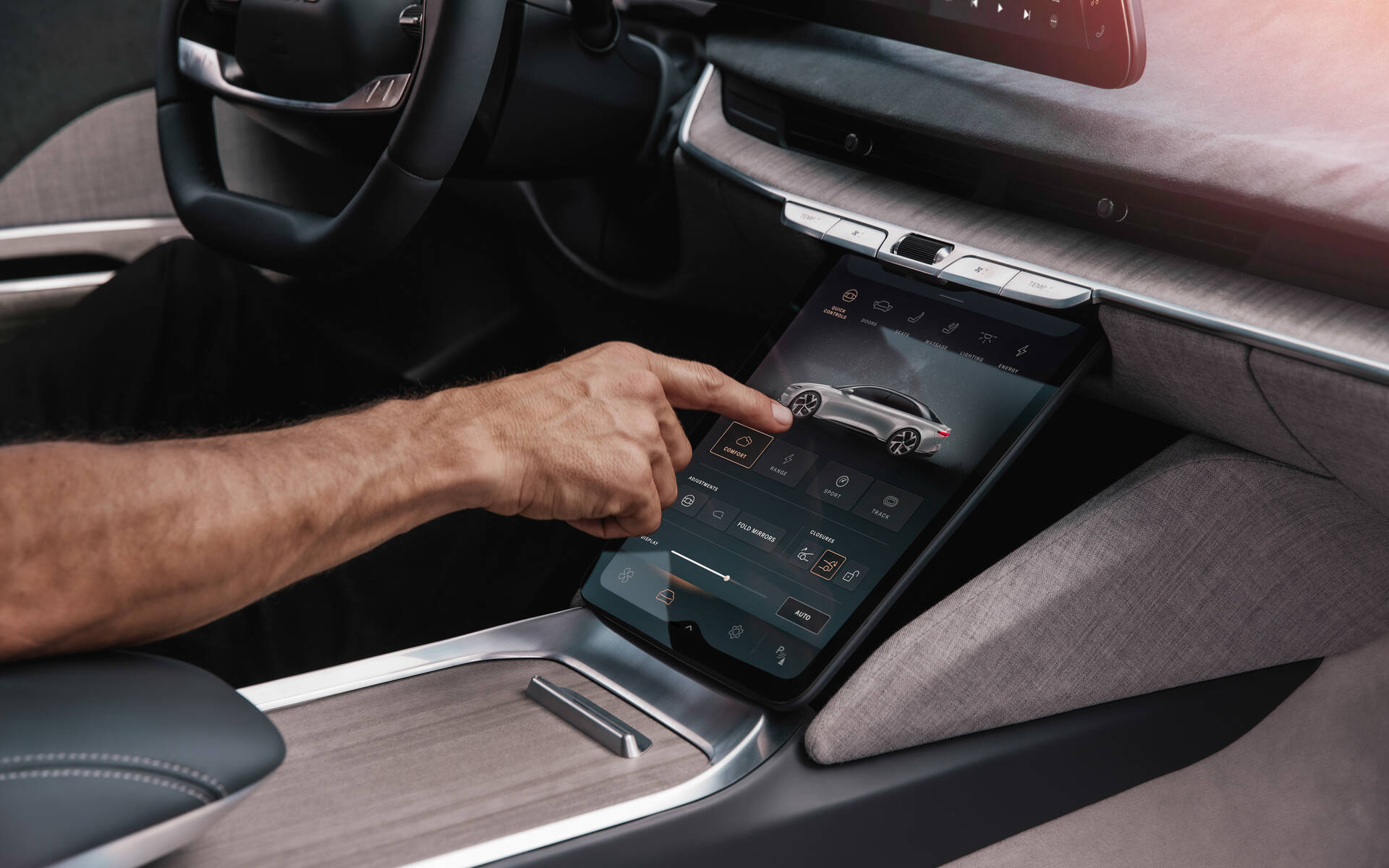
As physical buttons vanish from modern dashboards, replaced by sleek, expansive glass surfaces, the aesthetic appeal is undeniable. However, the reliance on touchscreens introduces a hidden friction: the need to take eyes off the road to locate a digital button. To resolve this, the industry is pivoting toward interfaces that require no physical contact at all. This is not merely a futuristic gimmick; it is a pragmatic evolution designed to keep the driver’s focus on the horizon while maintaining full control over the cabin environment through natural hand movements.
Mastering Motion in a Moving World
The interior of a moving vehicle is a surprisingly hostile environment for motion sensors. In the early days of this technology, a simple pothole or a sudden change in lighting as the car entered a tunnel could confuse the system, interpreting a bump in the road as a command to change the radio station. Distinguishing between a deliberate hand wave and the involuntary sway caused by vehicle dynamics was a significant engineering hurdle.
Today, however, the integration of industrial-grade signal processing has transformed this landscape. By combining data from cameras and depth sensors, modern systems can filter out the "noise" of a rough commute. These algorithms are now robust enough to recognize the geometry of a hand and the specific velocity of a gesture, ignoring everything else. This means that even while navigating a gravel road or driving through the strobing shadows of a tree-lined avenue, a quick swipe in the air can reliably adjust the climate controls. The technology has matured from an experimental feature into a dependable primary input method.
| Feature Dimension | Traditional Touch Interface | Air-Based Motion Control |
|---|---|---|
| Visual Attention | Requires looking at the screen to target fingers. | Allows eyes to remain on the road ahead. |
| Physical Interaction | Requires precise finger placement on glass. | Uses broad, natural hand sweeps in free space. |
| Learning Curve | Low (familiar smartphone mechanics). | Moderate (requires learning specific motions). |
The Need for Speed and Privacy
For a "silent" interface to feel natural, latency is the enemy. If a driver waves their hand to decline a call and the system hesitates for a second, the illusion of intuitive control breaks. To combat this, automotive engineers are moving away from cloud-based processing for these immediate tasks. Instead, powerful edge computing chips embedded directly within the dashboard process the visual data locally. This ensures that the response is instantaneous, creating a sense of direct mechanical connection despite the lack of physical switches.
This local processing approach also addresses a critical concern in the era of connected mobility: privacy. Because cameras are constantly monitoring the cabin to detect these movements, users are often wary of where that footage goes. By keeping the processing on the vehicle's own hardware, raw video data never needs to leave the car. Only the interpreted command—"volume up" or "fan down"—is acted upon. This architecture secures biometric data while enabling the car to learn and refine its understanding of the driver’s specific quirks over time, eventually distinguishing between a driver who gestures wildly while talking and one who is making a specific command.
The Art of Conversation and Gaze
While screens dominate the visual landscape of EVs, the cognitive load they impose is becoming a safety concern. Navigating nested menus to find a setting while moving at highway speeds taxes the brain and diverts attention. In response, voice interaction is experiencing a renaissance, moving far beyond the robotic, keyword-heavy commands of the past into the realm of natural, fluid conversation.
From Commands to Context
Historically, voice control was a rigid affair. If you didn't say the exact phrase, the system failed. The latest iteration of cabin intelligence employs advanced natural language understanding to decipher intent rather than just syntax. A driver no longer needs to issue a command like "Set passenger temperature to 72 degrees." Instead, a simple statement like "I'm feeling a bit cold" prompts the vehicle to intelligently adjust the climate settings.
This shift allows for a more relaxed driving experience. The system can filter out background road noise and wind, focusing on the driver's voice even in a noisy cabin. Furthermore, the technology is becoming context-aware. If music is blasting, the system knows to lower the volume automatically when the driver speaks, or if a window is open, it adjusts the microphone sensitivity. The goal is to make talking to the car as effortless as speaking to a passenger, removing the mental friction of remembering specific "trigger words" and allowing the driver to focus purely on the drive.
When Eyes and Voice Align
The most profound leap in reducing driver distraction comes from combining voice with eye-tracking technology. In a traditional setup, if a warning light pops up or a strange building appears on the navigation map, the driver has to dig through a manual or touch a specific info icon.
New multimodal interfaces allow the car to see what the driver is seeing. If the driver glances at a notification on the dashboard and asks, "What is that?", the system understands that "that" refers to the object of the driver's gaze. This "look and ask" capability mimics human non-verbal communication. It eliminates the need to describe the problem; the shared visual context does the heavy lifting. This synergy between the camera monitoring the driver's eyes and the microphone listening to their voice creates a loop of understanding that feels almost telepathic, dramatically streamlining how information is accessed during a journey.
Anticipating Needs: The Proactive Cockpit
The ultimate goal of the modern EV interface is not just to respond to commands better, but to eliminate the need for commands altogether. This is the era of the proactive cockpit, where the vehicle leverages a vast array of sensors to assess the situation and the driver’s state, adjusting the environment before the driver even realizes they need a change.
The Cognitive Load Manager
A car that shows you everything all the time is overwhelming. An intelligent interface functions as an editor, curating information based on the current driving scenario. Using sensors that monitor vehicle speed, weather conditions, and even the driver’s posture, the display layout shifts dynamically.
During a complex merge on a busy highway or in heavy rain, the system simplifies the dashboard. It hides media playlists, incoming text messages, and detailed energy consumption graphs, leaving only the speedometer and blind-spot warnings. This reduction in visual clutter helps the driver focus on the immediate physical danger. Conversely, when the car settles into a steady cruise on an open road, the displays enrich themselves again, offering entertainment options and detailed navigation data. This "breathing" interface ensures that the technology supports the driver's mental capacity rather than taxing it.
| Scenario | System Priority | Display Behavior |
|---|---|---|
| Complex City Driving | Safety & Immediate Navigation | Minimalist layout; enlarges turn arrows; suppresses non-urgent notifications (texts/emails). |
| Highway Cruising | Comfort & Efficiency | Expanded layout; shows media controls, range analysis, and scenic details; allows incoming calls. |
| Charging Station | Entertainment & Information | Full graphical richness; video playback enabled; detailed battery diagnostics and trip planning active. |
| Emergency/Hazard | Critical Alerting | High-contrast visual warnings; mutes audio; highlights escape routes or automated assistance options. |
The Evolution of Electronic Empathy
The capability of a car to adjust the seat, mirrors, and lighting the moment a driver sits down is the result of decades of evolution in electronic control. This technology traces its lineage back to the engine control units (ECUs) developed to manage fuel injection and emissions. The same logic that once optimized combustion to the millisecond is now applied to human comfort.
Modern EVs create a personalized profile that goes beyond memory seats. The system learns routines. If a driver typically calls home at 6 PM, the interface surfaces the phone contact at that time. If the driver leans forward tensely during night driving, the dashboard lighting may dim to reduce glare and the seat may adjust to provide better lumbar support. This fusion of historical data and real-time biometric sensing transforms the cockpit from a static space into a living environment that adapts to the physiological and psychological state of its occupant, marking a true paradigm shift in automotive design.
Q&A
-
What is Adaptive Haptic Feedback and how does it enhance user experience in modern devices?
Adaptive Haptic Feedback refers to a technology that provides tactile sensations to users, adjusting the intensity and pattern of feedback based on the user's interaction and context. This enhances user experience by delivering more intuitive and immersive interactions, particularly in gaming and virtual reality, where users can feel the environment or actions, such as a virtual button press or texture simulation.
-
How do AI Voice Assisted Commands improve accessibility in technology?
AI Voice Assisted Commands allow users to interact with devices using natural language, making technology more accessible to individuals with disabilities or those who are visually impaired. This feature enables hands-free operation, allowing users to perform tasks such as setting reminders, controlling smart home devices, or sending messages without needing to physically interact with the device.
-
What are Gesture Recognition Controls and where are they commonly applied?
Gesture Recognition Controls detect and interpret human motions to control devices. They are commonly used in gaming consoles, smart TVs, and virtual reality systems to allow users to interact with content through gestures, enhancing the user experience by providing a more engaging and intuitive method of control without the need for physical touch.
-
How do Predictive Display Layouts improve user interaction with interfaces?
Predictive Display Layouts optimize the arrangement of information on a screen based on user behavior and preferences, predicting what the user might need next. This technology improves user interaction by reducing the time and effort required to find information, making interfaces more intuitive and efficient, particularly in complex applications such as navigation systems or professional software.
-
What are Context Sensitive Alerts and how do they benefit users?
Context Sensitive Alerts are notifications that are triggered based on the user’s current context, such as location, activity, or time of day. These alerts provide relevant and timely information, enhancing user experience by ensuring that the user receives only pertinent notifications, reducing distractions and improving productivity. For example, a smartphone might silence notifications during a scheduled meeting or alert a user to leave for an appointment based on current traffic conditions.